Costfluent Docs
Costfluent reads your cloud billing data through read-only connections, keeps it as one cost record per workspace, and turns it into reports your teams can revisit, share and schedule. These pages explain how to set it up and how each part of the product behaves.
Start here
- QuickstartFrom a new account to a scheduled cost report.
- Connect a sourceConnect AWS, Azure, Google Cloud, a Kubernetes cluster or a custom provider.
- Cost reportsExplore cost data and save the views you need.
- APIAuthenticate to the Public API and read the reference.
Product areas
Reporting
- Cost reportsWhat a cost report is and how it is built.
- Explore cost dataTime range, filters, grouping, presentation and export.
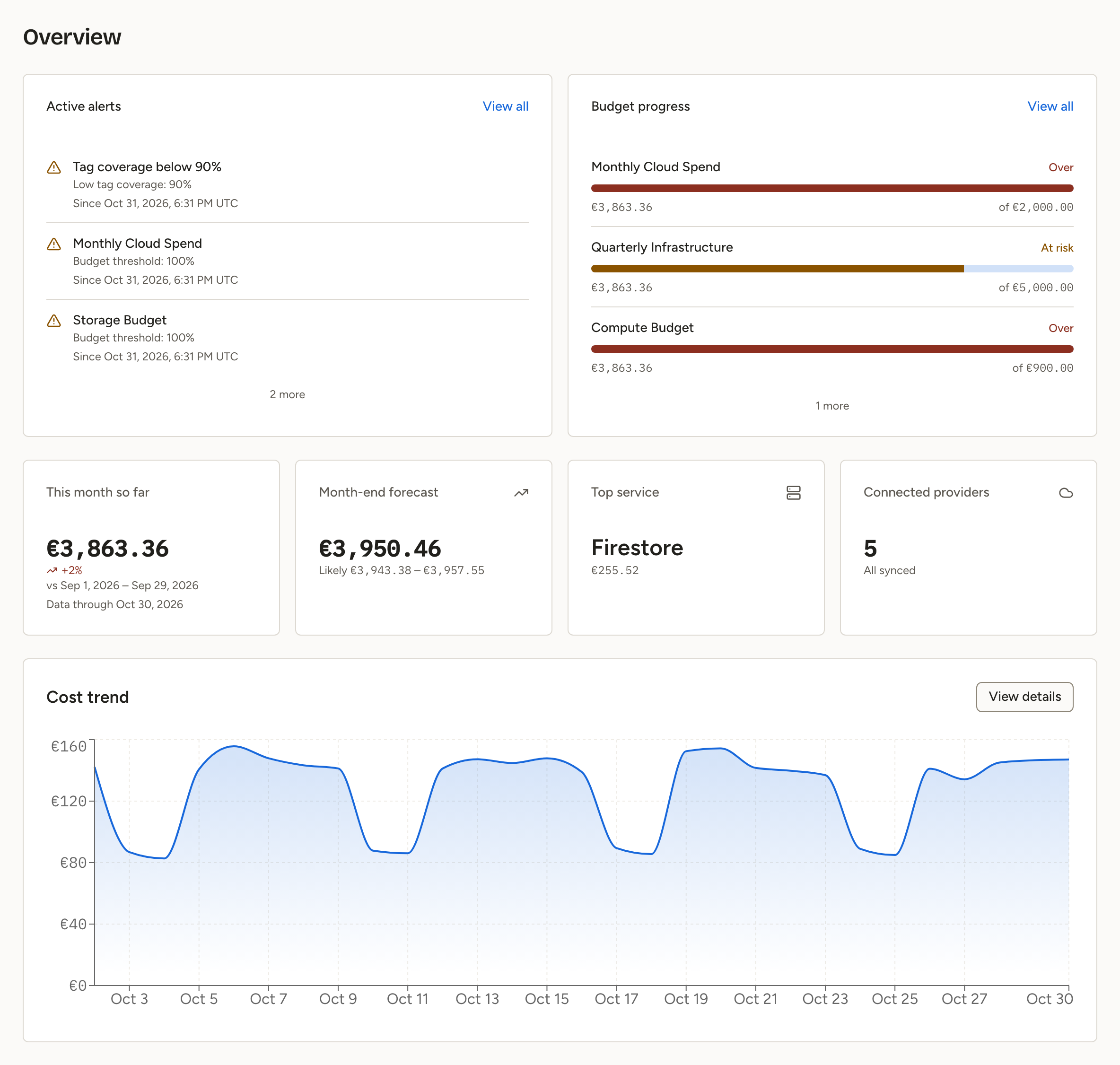
- Overview and dashboardsThe Overview page and dashboards of saved reports.
- Segments and allocation rulesAssign every cost line to one owner.
- Virtual tagsOne tag value per cost line, computed from rules.
Planning
- BudgetsSpend for a period against an amount you set.
- AlertsEvery alert and everything that fired, in one place.
- Notification channelsEmail, Slack, Microsoft Teams and webhooks.
Optimization
- InsightsGrowing services, cost changes and anomalies.
- SavingsThe queue of savings opportunities and their states.
- CommitmentsCommitment coverage, savings rate and unused commitment.
- Kubernetes efficiencyCluster, namespace and workload cost, idle capacity and request efficiency.
Administration
- OrganizationsSwitch between organizations, create one, and managed organizations.
- Organization and workspacesDetails, export, workspaces and deletion.
- Users, teams and rolesInvitations, roles and workspace access.
- Sign-in and securityPasskeys, GitHub and Google, and single sign-on.
- Audit logWho did what in your organization, and when.
- Your accountProfile, email address, preferences and keyboard shortcuts.
- Plans and billingWhat a plan decides and how to change it.
- SupportWhere to ask for help.
Developers
- API authenticationTokens and the Authorization header.
- TerraformThe provider and the cost-access modules.
- API referenceEvery Public API endpoint, generated from the contract.