Administration
Costfluent support access
Let Costfluent support read your organization for a few days, see each time it did, and end the access.
Costfluent support sees your organization in the product only while an Owner allows it. Support reads only, as Costfluent support rather than as one of your members, and every time it enters, the audit log records it.
Before you start
- Allowing and revoking support access needs the Owner organization role.
Allow support access
- Open Settings, then Organization.
- On Costfluent support access, choose a Duration: 1, 3 or 7 days. 3 days is preselected.
- Select Allow access. The card shows when the access ends.
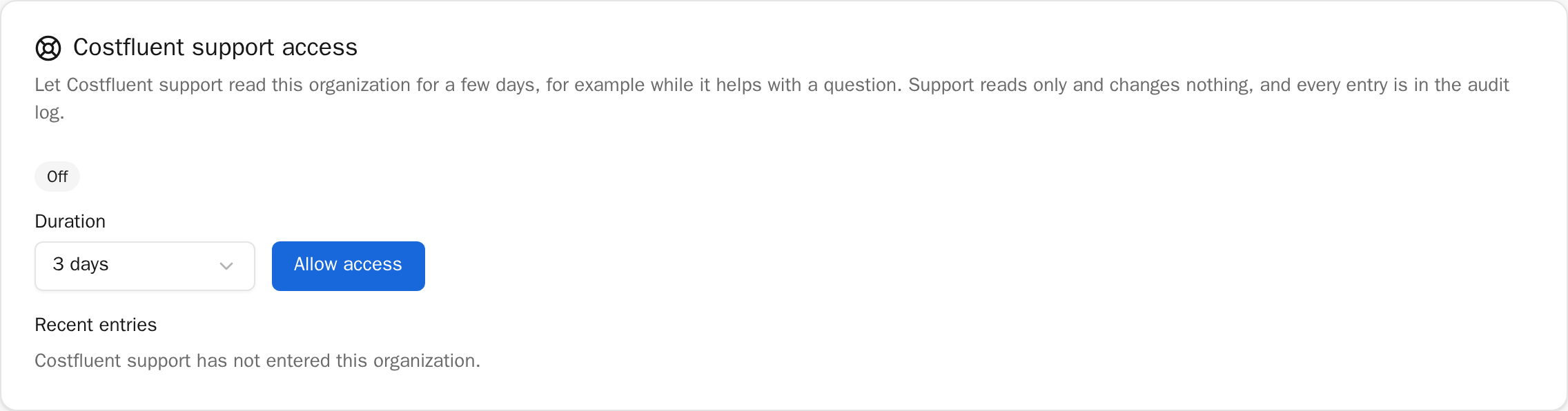
Allowing access again while it is on replaces the end with the new duration, counted from now; select Set new end to do that.
Revoke support access
- Open Settings, then Organization.
- On Costfluent support access, select Revoke access and confirm.
Support loses access at once. You can allow it again at any time.
What support sees and does
- Support reads your organization as a viewer does: costs, reports, dashboards, budgets, connections and members.
- Support changes nothing. It cannot create API tokens or share links, export data, invite anyone, or extend or allow its own access.
- Only Costfluent's own staff can enter, and only when they signed in with a passkey that verified them.
What Costfluent staff can reach
- In the product, Costfluent staff see your organization only through support access: while an Owner allows it, read only, with each entry in your audit log.
- Changes Costfluent makes for you, such as a plan, a limit or the suspension of an account, are made through Costfluent's operations console, and each appears in your audit log as "Costfluent" with the staff member's name.
- Outside the product, running and repairing the service can require access to the infrastructure it runs on. That access does not appear in your audit log; it is logged per person.
What is recorded
- Each time support enters, once per session and day, the audit log records
support_access.entered, with "Costfluent support" and the person's name as the actor and no IP address. The card's Recent entries lists the last ones. - Allowing and revoking are recorded as
support_access.grantedandsupport_access.revoked, with the Owner who did it. - The first time support enters under an access you allowed, every Owner gets an email naming who entered and when the access ends.
How it behaves
- The access ends by itself at the end the card shows; nothing has to be done.
- Costfluent's own organization never allows support access.